
Princess Mermaid Phone
FunCool StudiosEducational
3.922.00 Reviews
- Version
- 1.6.13
- Installs
- 5.00M
- Age Rating
- Everyone
Screenshots
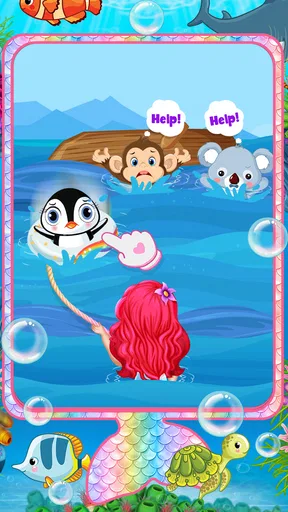
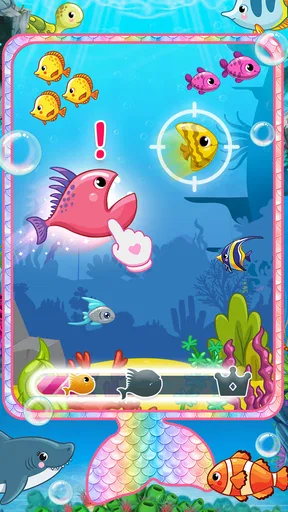
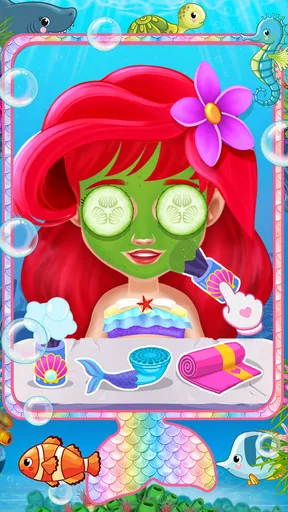
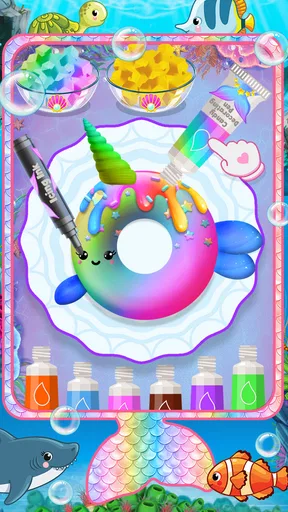
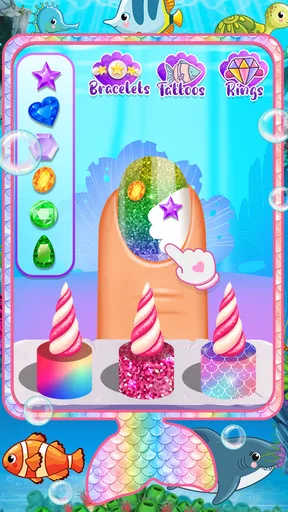
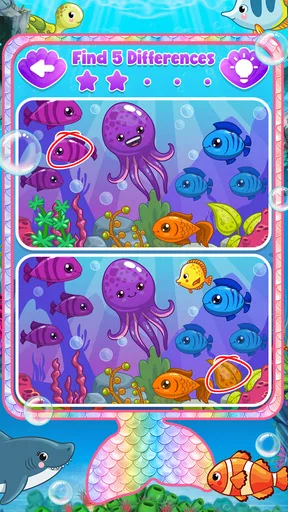
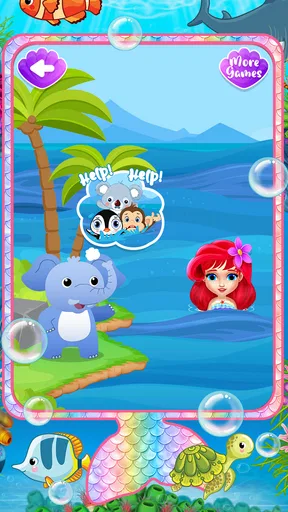
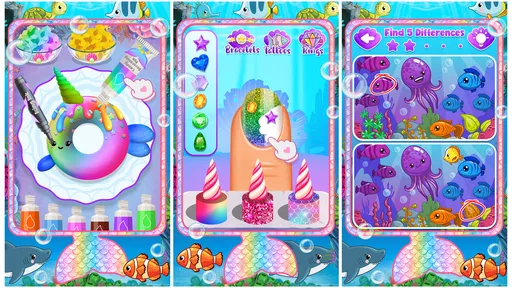
Our Review of Princess Mermaid Phone
 Analysis by Appyee
Princess Mermaid Phone is the kind of educational game I would hand to a young child who enjoys pretend play, colorful princess themes, and simple phone-style activities. I spent time looking at it as more than a quick download: the important question is whether it fits a child’s everyday routine, how much help an adult may need during setup, and whether its playful approach offers something different from a conventional learning app. My overall impression is positive, but it comes with a clear condition: this is best treated as a light, supervised play experience rather than a complete learning program.
The game comes from FunCool Studios and is free to install, which makes it easy to try without committing money at the beginning. It is rated for Everyone, runs on Android devices using version 6.0 or later, and has reached over five million installs. Those figures suggest that the mermaid-phone idea has found a substantial audience, although the average score of 3.9 from around two thousand ratings tells me that expectations should remain realistic. This is accessible entertainment with an educational angle, not a replacement for structured lessons.
Getting past the first points of friction
The first place many families can get stuck is not necessarily inside the game. It is the small chain of decisions around installing, opening, and handing over a device to a child. A parent may expect an instant activity, while a child may become impatient if the game needs a moment to load or if an unfamiliar screen appears before play begins. I recommend opening it once yourself before introducing it. That short preview lets you understand the opening flow and decide whether the presentation suits the child who will use it.
Because the game is designed around a mermaid princess and a phone-like setting, a child may assume every visible object is interactive. That can create confusion when tapping does not produce the expected response. I found it more useful to frame the first session as exploration rather than as a task with a correct result. Sit beside the child, let them try a few taps, and explain that some areas may simply be decorative or may require a particular sequence. This avoids turning a relaxed game into a frustrating test.
Another practical issue is the difference between a child’s expectations and the game’s educational depth. The word “educational” can suggest spelling drills, mathematics, reading practice, or progress tracking. Princess Mermaid Phone is better understood as themed, guided play. Its value is likely to come from attention, recognition, and simple interaction within a familiar fantasy setting, rather than from a formal curriculum. If you want measurable lessons, a dedicated early-learning app will usually be a stronger choice.
The free entry point is helpful, but families should still stay alert to purchase prompts. The game includes optional in-app purchases ranging from $3.99 to $39.99 per item. I would not let a young child explore it alone until I had checked how purchases are handled on the device. The safest routine is to keep buying under an adult account, require confirmation for transactions, and explain that a button offering something new is not automatically part of the free experience. This is a general device-safety habit, but it matters especially in a game aimed at children.
A calmer setup routine for parents
My preferred setup is simple. Install the game when the child is not waiting, open it on a stable connection, and allow enough time for the first session without rushing. Then check the device’s sound level and brightness, because a child-focused game can become tiring if the screen is too bright or the audio is unexpectedly loud. I would also close demanding background apps before launching it on an older phone or tablet. That does not change the game itself, but it can reduce avoidable slowdowns.
If the game does not open correctly, I would begin with ordinary checks rather than assuming the app is broken. Confirm that the device uses Android 6.0 or newer, restart the device, and try opening the game again. If the problem appears after a long period of use, closing other apps can help free system resources. Keeping the operating system reasonably current is also sensible, while remembering that an older compatible device may still behave differently from a newer one.
When a child reports that “nothing works,” ask what they tapped and what they expected to happen. This question is surprisingly useful. It separates a genuine loading problem from a design misunderstanding. If the screen is visible but the child cannot continue, return to the previous screen and try the same action more slowly. If the whole app is frozen, close it completely and relaunch it. These are basic steps, but they are safer and more effective than repeatedly tapping every part of the display.
It is worth checking the available storage too. A device that is almost full can behave unpredictably when installing or updating apps, even when the app itself is not large enough to seem concerning. Remove only items you recognize, and avoid deleting a child’s photos or other personal material just to make room. If installation fails, freeing a modest amount of space and restarting the device is a more sensible first move than repeatedly pressing the install button.
Recovering a disrupted play session
Young children often leave an app by accident, switch to another screen, or hand the device to someone else. I would not treat that as a serious failure. The most reliable recovery workflow is to reopen the game, give it a moment to settle, and return to the activity without trying to recreate every previous tap. In a casual educational game, preserving the child’s confidence is more important than forcing a precise sequence.
If the game closes unexpectedly, note whether it happens at launch, after a particular interaction, or only after the device has been used for a long time. That pattern helps you decide what to try next. A launch problem points toward restarting the phone, checking the operating-system requirement, or reinstalling. A problem that appears only after extended use may be related to memory, heat, battery-saving behavior, or another app competing for resources. Keeping that distinction in mind prevents random troubleshooting.
Reinstalling should be a later step, not the first one. Before doing it, consider whether the child might lose local progress or familiar settings. Since I cannot assume how every version handles saved activity, I would only remove the app after deciding that starting again is acceptable. If the game is mainly used for short sessions, that trade-off may be minor; if the child has built a routine around it, it may be more upsetting than expected.
Updates can also alter the way an app behaves. The current version is 1.6.13, so I would check whether the device is running that version when investigating a problem. If an update has just occurred, test the game again after restarting the device rather than judging it from one interrupted launch. If a problem persists, record the device model, operating-system version, and the exact point where the issue appears before contacting support. Clear information is much more useful than saying only that the app “doesn’t work.”
For normal play, I suggest keeping sessions short and ending while the child is still enjoying the activity. That makes it easier to return later and reduces the chance that tiredness will be mistaken for a technical problem. A small routine works well: open the game, choose one or two activities, talk briefly about what the child is doing, and close it before attention fades. This also helps parents see whether the game is genuinely engaging or simply being used as background screen time.
When the game is not the real problem
Not every disappointing session points to Princess Mermaid Phone. A child may be hungry, tired, overstimulated, or looking for a different kind of play. If the child loses interest after a few minutes, try again at another time before deciding that the game has failed. The mermaid theme may appeal strongly to one child and barely register with another, especially if they prefer vehicles, animals, building, or open-ended drawing.
Device conditions can also change the experience. A weak battery, aggressive power-saving mode, limited storage, or an unstable connection may make an app feel unreliable. So can a crowded screen covered with notifications. I prefer testing it on a quiet home screen with the device charged and unnecessary alerts silenced. If it behaves normally there, the problem may be the surrounding setup rather than the game.
Adult expectations are another hidden source of friction. If a parent wants the child to practice a specific school skill, a mermaid-themed phone game may not provide enough structure. It can support curiosity and guided interaction, but I would pair it with reading together, counting real objects, drawing, or a more focused learning tool. That combination gives the child the imaginative setting they enjoy while ensuring that the educational goal does not depend on a single casual game.
Compared with ordinary puzzle or alphabet apps, this game’s main advantage is its pretend-play identity. A child who ignores flashcards may be more willing to explore a princess-themed phone because the activity feels like a story or role-play. The trade-off is that a traditional learning app will often make its objective clearer and may be easier for an adult to evaluate. Compared with open-ended digital dolls or dress-up games, this title has a stronger educational framing, but it may feel less flexible if the child wants unrestricted creation.
I would also be careful about using it as a substitute for conversation. The best use I found is shared play: ask the child why they chose something, invite them to describe what is happening, and connect the fantasy setting to everyday ideas such as colors, choices, order, or polite communication. That turns a few taps into a richer activity. Left completely alone, the same session may become repetitive, especially for an older child who quickly understands the available interactions.
Who will enjoy it most
Princess Mermaid Phone is a good fit for younger children who respond to princess stories, mermaids, and simple touch-based exploration. It also suits parents who want a free first step into educational play and are willing to sit nearby during the initial sessions. The Everyone rating makes it broadly approachable, but age labels do not tell you whether the pace, reading demands, or interaction style will match a particular child. Watching the first session is still the best guide.
I would skip it if you need a serious academic tool, detailed progress reporting, or a clearly sequenced lesson plan. I would also look elsewhere if your child dislikes fantasy themes or becomes frustrated when a game does not respond to every tap. In those cases, a focused literacy, numeracy, or creative app may offer a better match. The fact that this game has passed five million installs does not make it universally suitable; popularity cannot replace observing how one child reacts.
For families concerned about spending, the free installation makes experimentation easy, but the optional purchase range deserves attention. I would use the game without buying anything first and decide whether the child’s interest lasts across several separate sessions. If the appeal depends on repeatedly asking for locked or optional items, that is useful information before spending. The best purchase decision is one made by the adult after seeing consistent, calm use rather than during an excited first launch.
My practical verdict after using it
Princess Mermaid Phone works best as a small, friendly piece of screen time that invites a child into a mermaid-princess world. I like its low barrier to entry, its approachable theme, and the way it can make a reluctant learner curious enough to begin interacting. I also appreciate that parents can test the basic experience without paying upfront. Those strengths explain why I can recommend trying it for the right child.
My reservations are equally clear. The educational label should not lead anyone to expect a full teaching system, and the optional purchases mean adults should manage the device rather than pass it over without preparation. Some children will outgrow the novelty quickly, while others may need help understanding what to do when an expected tap has no result. Troubleshooting is usually straightforward, but reinstalling or changing settings should be approached carefully if the child’s familiar routine matters.
In everyday use, I would place it between a digital toy and a light learning activity. It is most valuable when a parent uses it as a starting point for conversation, imagination, and short bursts of exploration. It is less convincing as a stand-alone educational solution or an unattended babysitter. If that distinction matches what you want, the free download is worth a cautious trial on a compatible device.
My final recommendation is therefore selective but genuine: try it for a young mermaid fan, keep purchases under adult control, test the opening routine before handing over the phone, and judge it by the child’s repeated interest rather than the first excited session. For families seeking playful discovery, it can be a pleasant addition. For families seeking measurable academic progress, I would choose a more specialized alternative and use this game only as a themed extra.
Verdict
Strengths of Princess Mermaid Phone
- Bright underwater theme appeals to young children.
- Simple touch controls are easy for preschool users.
- Includes playful sounds and colorful visual effects.
- Encourages imaginative role-play with mermaid characters.
- Short activities suit quick, casual play sessions.
Limitations of Princess Mermaid Phone
- Limited gameplay may become repetitive after a few sessions.
- Some features may require in-app purchases or extra downloads.
- Frequent sound effects can be distracting in quiet environments.
- Designed mainly for younger children, with little appeal for adults.
- Parental supervision is recommended when children use the app.
Similar Picks in This Category
View All
Little Panda Policeman
BabyBus4.0

Monster Trucks Game for Kids 2
Raz Games4.1

Little Panda's Chinese Recipes
BabyBus4.4

Little Panda's Restaurant
BabyBus4.4

Little Panda's Ice Cream Games
BabyBus4.3

Baby Panda Care
BabyBus3.8
Frequently Asked Questions
What is Princess Mermaid Phone?
Princess Mermaid Phone is a colorful pretend-play app designed for children who enjoy mermaids, fantasy characters, and phone-themed activities. It offers an interactive virtual phone experience with playful screens, sounds, character interactions, and simple activities. The app is mainly focused on entertainment and imaginative play rather than communication, education, or real telephone functions.
Is Princess Mermaid Phone suitable for children?
The app is aimed primarily at young children, especially those who enjoy princess and mermaid themes. Its simple design and tap-based interactions are generally easy to understand, but parents should still review the app themselves before allowing independent use. Check the recommended age rating, advertising settings, and available parental controls, since these details may vary between Android and iOS versions.
Does Princess Mermaid Phone require an internet connection?
Many of the basic pretend-phone activities may work without a constant internet connection once the app has been installed. However, an internet connection could be required for downloading the application, loading certain content, displaying advertisements, restoring purchases, or receiving updates. For offline play, it is best to open the app after installation and test its main features before giving the device to a child.
Are there advertisements or in-app purchases in Princess Mermaid Phone?
Parents should check the store listing and the app’s settings before downloading, because advertising and purchase options can differ depending on the version, device, and region. Some free children’s apps include banners, video advertisements, or optional paid features. To prevent accidental purchases, use the device’s parental controls, disable unauthorized payments, and supervise younger children while they are playing.
Is Princess Mermaid Phone a real phone or messaging app?
No. Princess Mermaid Phone is a fictional entertainment app and should not be treated as a real telephone, messaging service, or social communication platform. Any calls, buttons, conversations, or character responses are part of the pretend-play experience. It does not replace a mobile phone, emergency service, or supervised communication tool, so children should be clearly told that its interactions are only virtual.
Play our best games!


